
Voiceit
ActiveTemporary voice channels for Discord, every feature free
Voiceit gives every member their own voice channel on demand. Join a hub, get a room, run it from a panel of buttons, lock it, hide it, rename it, set a limit, invite or kick whoever you like, and promote mods to help. When everyone leaves, the room cleans itself up. No clutter, no leftover channels, no setup beyond picking a category.
Features
Join to Create
Join a hub channel and Voiceit instantly spins up a personal voice channel, then moves you in as its owner. No commands to remember.
Button Controls
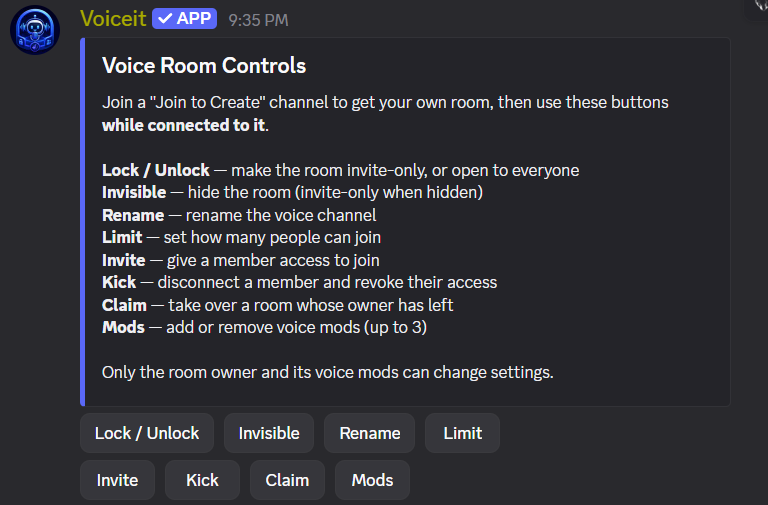
An eight-button panel in the hub's #voice-controls channel, lock, hide, rename, limit, invite, kick, claim, mods. It acts on whichever room you're connected to. No commands to learn.
Three Privacy Levels
Public by default, invite-only when you lock it, or invisible, hidden from the channel list entirely. Switch between them mid-call in one click.
Request to Join
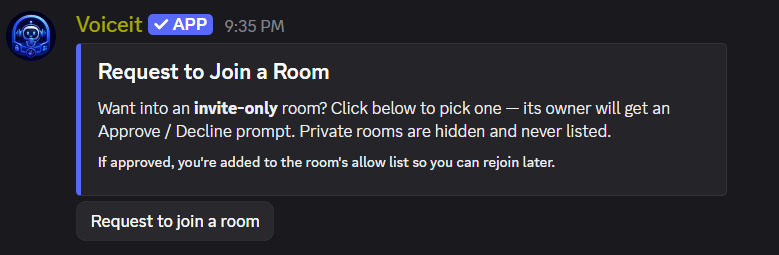
Locked out? The #request-to-join panel lists invite-only rooms and asks the owner directly, they get Approve or Decline, and you get a DM with their answer. One request at a time, and approved members stay on the allow list.
Voice Mods
Promote up to three members to help run a room, they can even join past a full room's user limit. If the owner leaves, anyone can claim it five minutes later, so rooms never end up stranded.
Spam-Proof
Each member can spin up at most one room every five seconds, so nobody can flood the server by hammering the Join to Create channel, and your room still arrives the moment the short wait passes.
Auto Cleanup
Empty rooms delete themselves the moment the last person leaves. A reconcile on boot and on a timer clears anything a restart left behind.
Up to 10 Hubs
Run several join-to-create hubs, each with its own category and default user limit. Gaming, music, chill, all separate, all self-managing.
Media
How it works
Add Voiceit
Invite Voiceit and grant it access on the category where your join-to-create channels will live, nothing server-wide required.
Create a hub
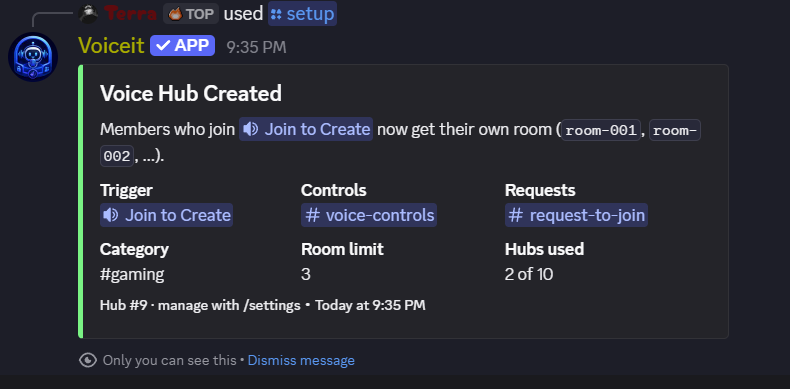
Run /setup and pick a category. Voiceit creates the “Join to Create” voice channel plus #voice-controls and #request-to-join, panels already posted.
Members join to create
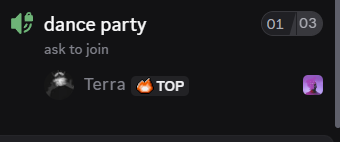
Anyone who joins the hub gets their own room, named room-001, room-002 and so on, and becomes its owner instantly, moved straight in.
Owners run the show
Owners and their mods hit the buttons in #voice-controls to lock, hide, rename, limit, invite, or kick. Empty rooms vanish on their own.
Commands
Create or update a hub. Voiceit builds the Join to Create channel plus the #voice-controls and #request-to-join panels for you.
category, name, limit
Show every hub with its trigger, panels, category, and default room limit.
-
Remove a hub and the trigger channel that feeds it.
-
Lock / Unlock, Invisible, Rename, Limit, Invite, Kick, Claim, Mods, acting on the room you're connected to.
-
Pick an invite-only room and ask its owner for access; they get an Approve / Decline prompt.
-
Give the bot its own avatar and banner in this server only, the same way you would give it a nickname. reset:true restores the default.
avatar, banner, reset
How to use Voiceit.
-
Every project with a direct link, plus free and paid ways to support them.
-
Vote for any project on top.gg, one button per bot. Free, and repeatable every 12 hours.
-
| Command | Parameters | Description | Permission |
|---|---|---|---|
| /setup | category, name, limit | Create or update a hub. Voiceit builds the Join to Create channel plus the #voice-controls and #request-to-join panels for you. | Manage Server |
| /settings list | - | Show every hub with its trigger, panels, category, and default room limit. | Manage Server |
| /settings remove | - | Remove a hub and the trigger channel that feeds it. | Manage Server |
| Room Controls panel | - | Lock / Unlock, Invisible, Rename, Limit, Invite, Kick, Claim, Mods, acting on the room you're connected to. | Room Owner & Mods |
| Request to Join panel | - | Pick an invite-only room and ask its owner for access; they get an Approve / Decline prompt. | Everyone |
| /serverprofile | avatar, banner, reset | Give the bot its own avatar and banner in this server only, the same way you would give it a nickname. reset:true restores the default. | Manage Server |
| /help | - | How to use Voiceit. | Everyone |
| /support | - | Every project with a direct link, plus free and paid ways to support them. | Everyone |
| /vote | - | Vote for any project on top.gg, one button per bot. Free, and repeatable every 12 hours. | Everyone |